
Display Distance
Tacticalista can measure the distance between two points and show the distances between players. Distances are shown in meters at the real size of the field.
Measuring between two points (desktop version)
The measuring line is not kept. It disappears when you release.
Showing distances between players
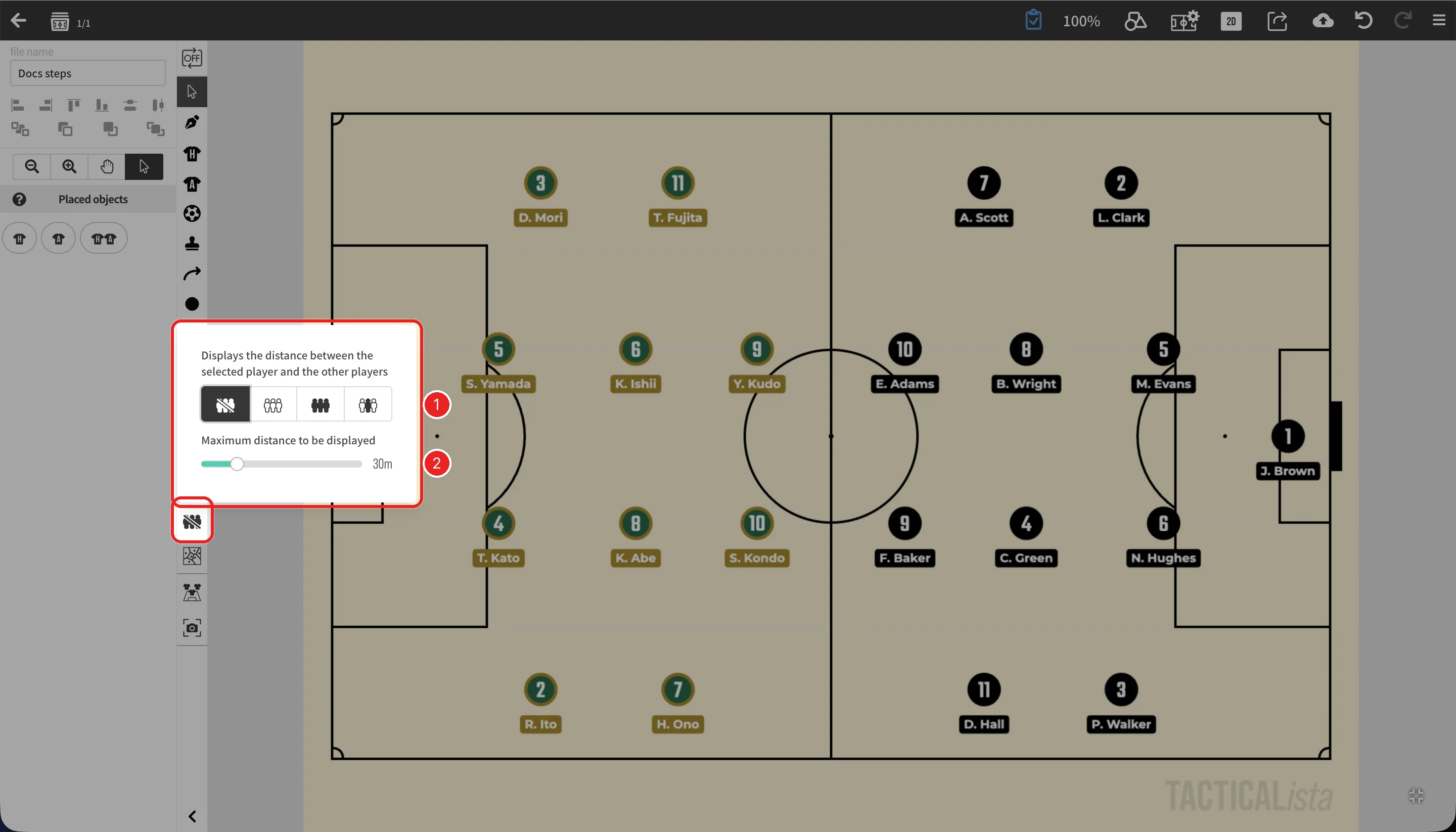
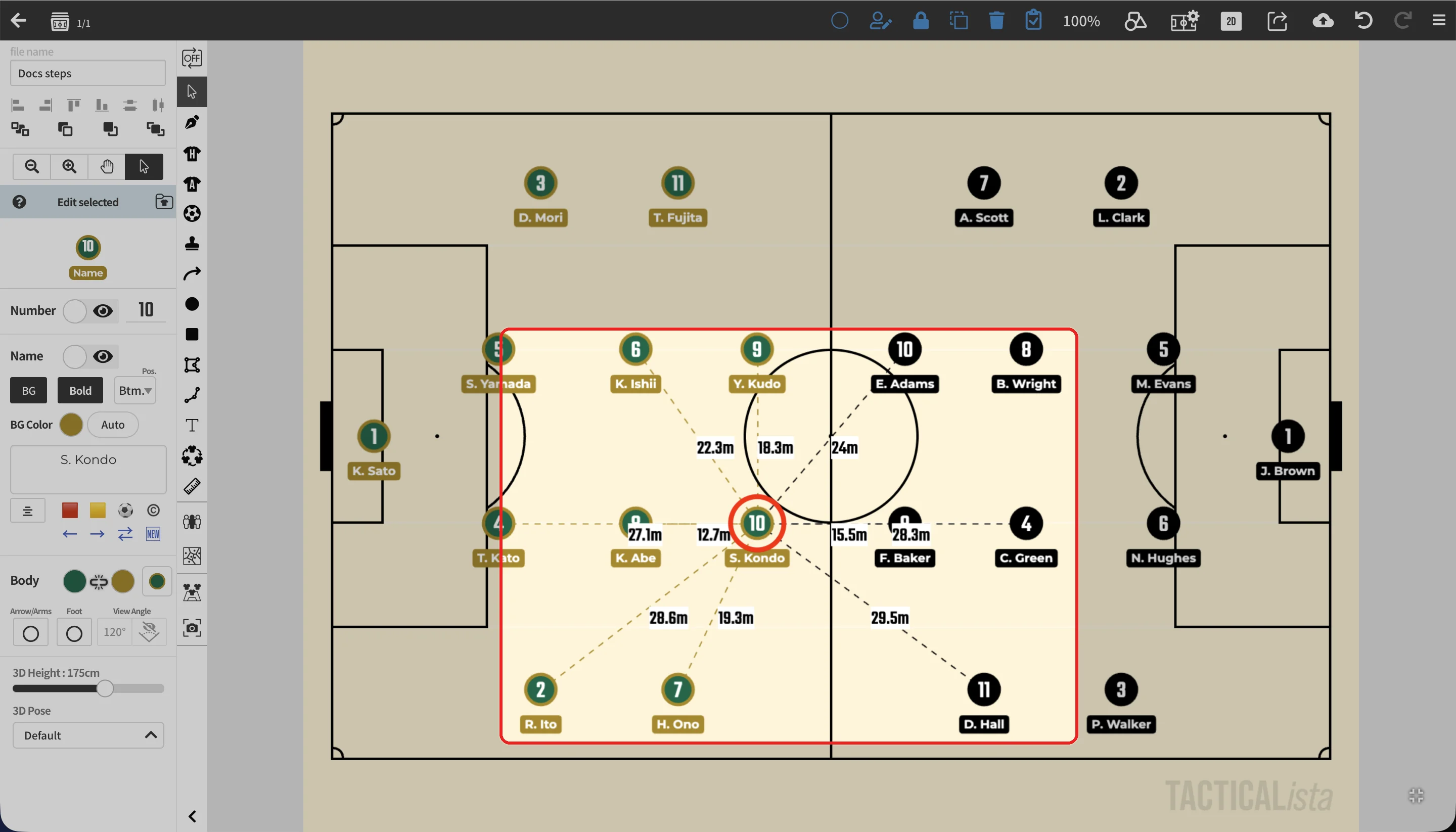
| No. | Item | Description |
|---|---|---|
| 1 | Players to measure to | From the left: off, teammates, opponents, and all players |
| 2 | Maximum distance to be displayed | Distances to players farther away than this are not shown |
The toolbar icon changes to match the option you choose.