
3D Ball, Markers & Shapes
Objects other than players are also shown in the 3D view. The ball, markers, and lines have 3D-specific heights and sizes, and shapes and text are projected onto the field. Each setting is made in the object's settings panel.
Ball
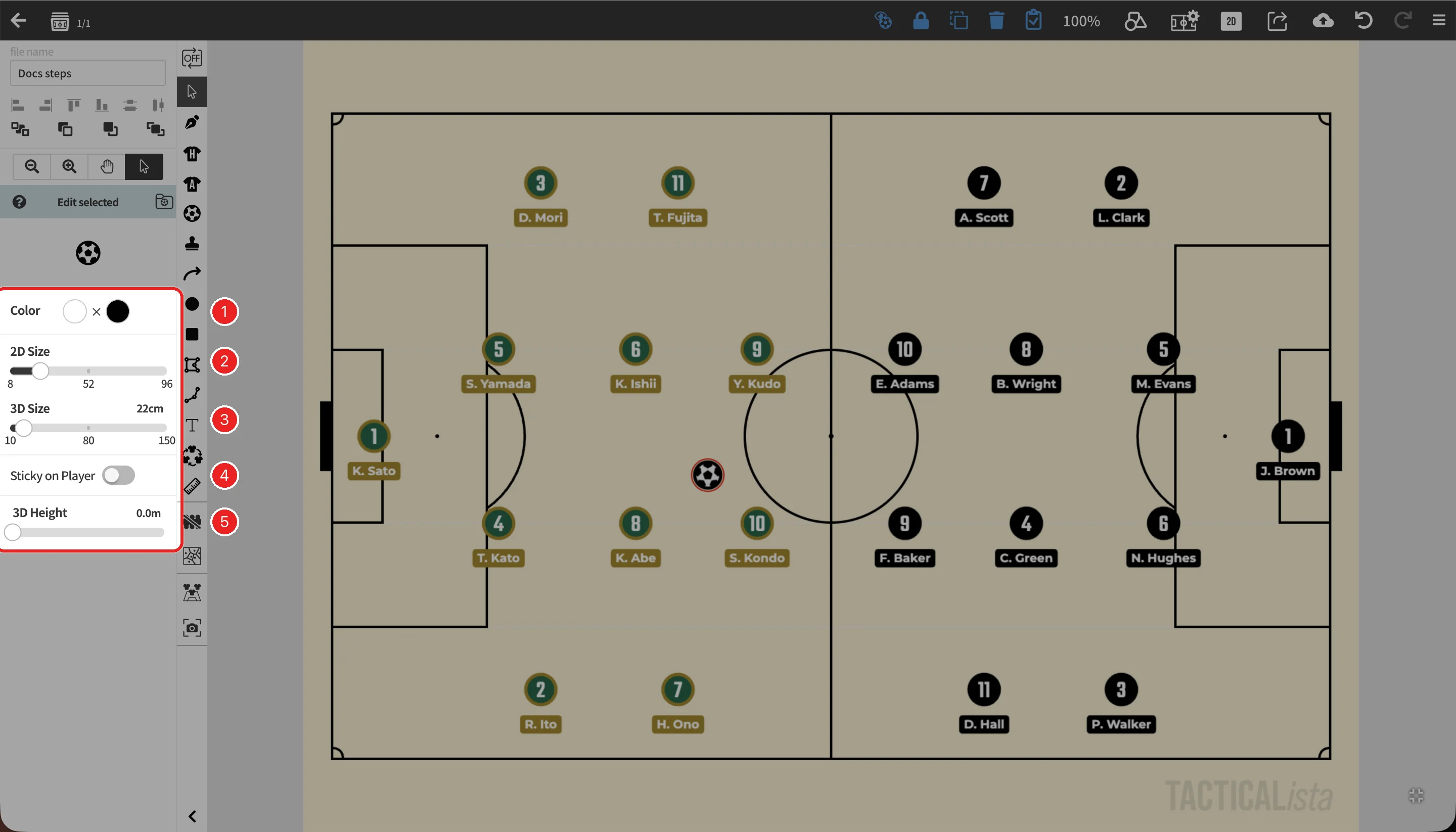
- 3D size: Set "3D Size" in the ball settings panel from 10 to 150cm (default 22cm). It is independent of the display size on the 2D board (2D Size).
- 3D height: On static boards, select the ball and set "3D Height" from 0 to 15m to show a ball in the air.
- Animation: On animation boards, set a height on the movement path to make the ball fly through the air. → How to move objects
- The 3D ball rotates as it moves. A ball attached to a player in magnet mode moves with the player in 3D too. → Ball
Markers
Markers are shown differently in 3D depending on their type. The frame color in the marker list shows each marker's type. → Marker types
| Type | Shown in 3D as |
|---|---|
| Flat | A mark drawn on the field. |
| Billboard | A board that always faces the camera. Choose Low, Medium, or High under "3D Height". |
| Model | A 3D model such as a cone, pole, rebounder, or goal. |
Size and color changes are reflected in 3D. If a 3D model fails to load, a notice is shown and the marker falls back to a simple display. → Marker
Lines
- Lines keep their solid, dashed, or wavy style and their head and tail arrows in the 3D view.
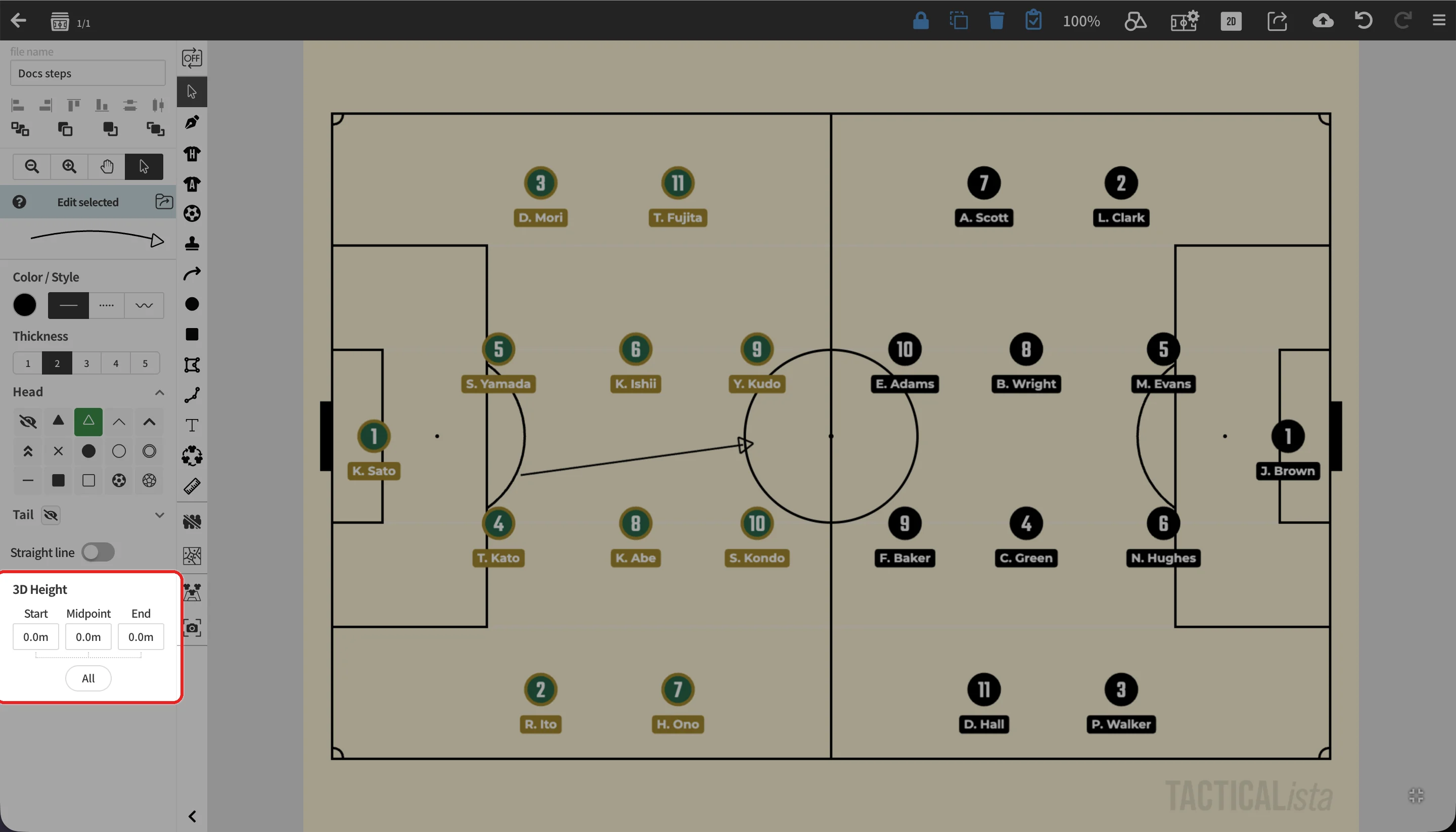
- Under "3D Height" in the line settings panel, set a height from 0 to 15m for the start point, mid point (control point), and end point separately. This lets you lift passes and long balls into the air. → Line
Shapes
Rectangles, ovals, polygons, and polylines are projected onto the field. Fill and stroke colors and stroke width follow the 2D settings. Shapes linked to players follow them when players are moved in the 3D view. → Rectangle and Oval / Polygon and Polyline
Text
Choose how text is shown in 3D under "3D Display" in the text settings panel.
| Setting | Description |
|---|---|
| Shown along the ground, as if printed on the field. | |
| Low / Medium / High | Shown as a board facing the camera at the chosen height. |
→ Text
Handwritten lines
Lines drawn with the pen tool are projected onto the field. → Handwritten
Voronoi and Delaunay diagrams
Voronoi and Delaunay diagrams are also drawn on the field in the 3D view. They follow players moved in the 3D view. → Generate Voronoi & Delaunay Diagrams