
Team Manager Basic
Register players, formations, and uniforms for each team, and you can place players on a board with their names, jersey numbers, and uniforms applied in one step.
Requirements
- Available on the Basic plan, on both desktop and mobile (exporting a formation as an image is desktop only).
- Each account can register up to 50 teams, with up to 150 players and 30 formations per team.
Creating a team
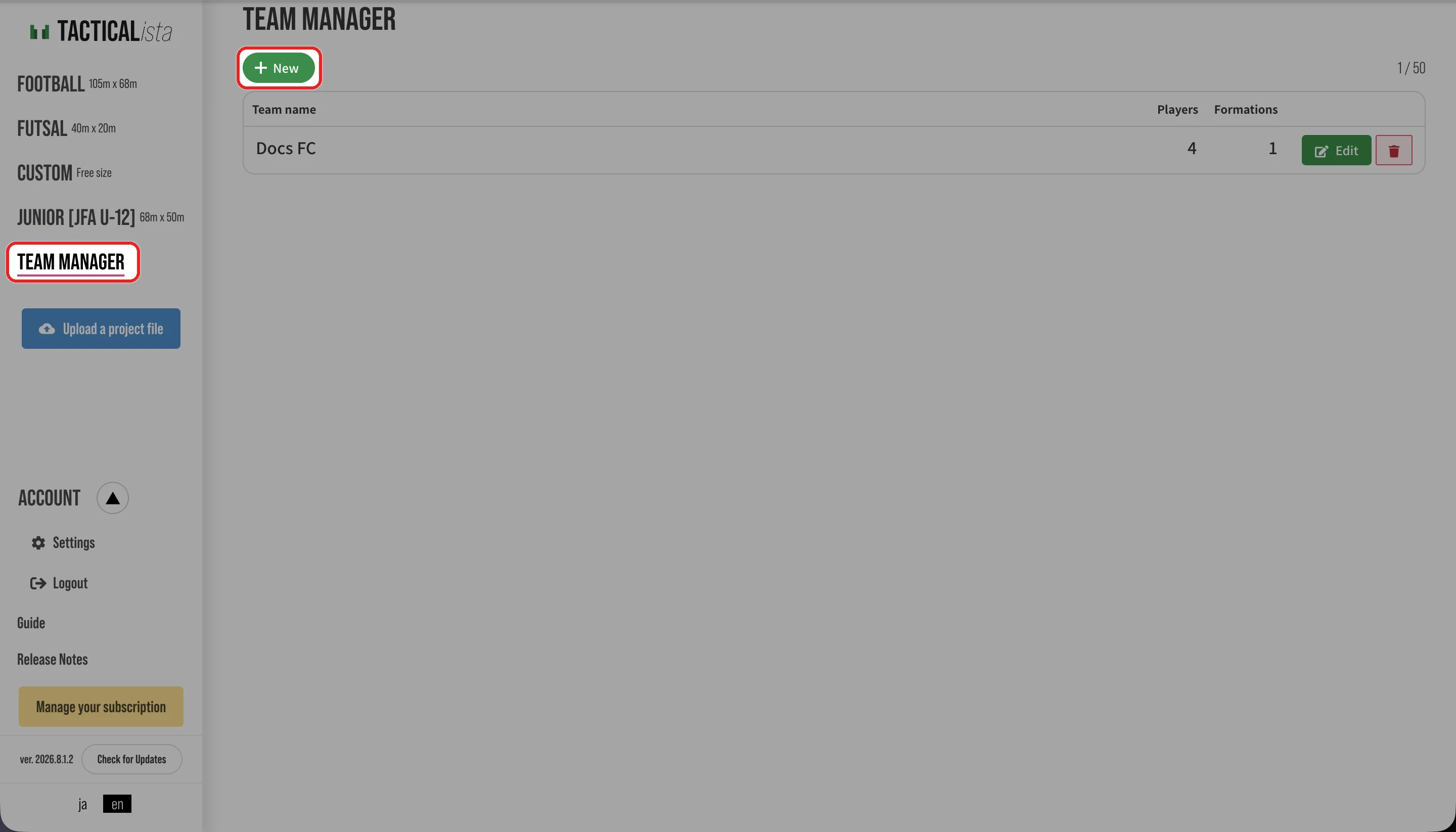
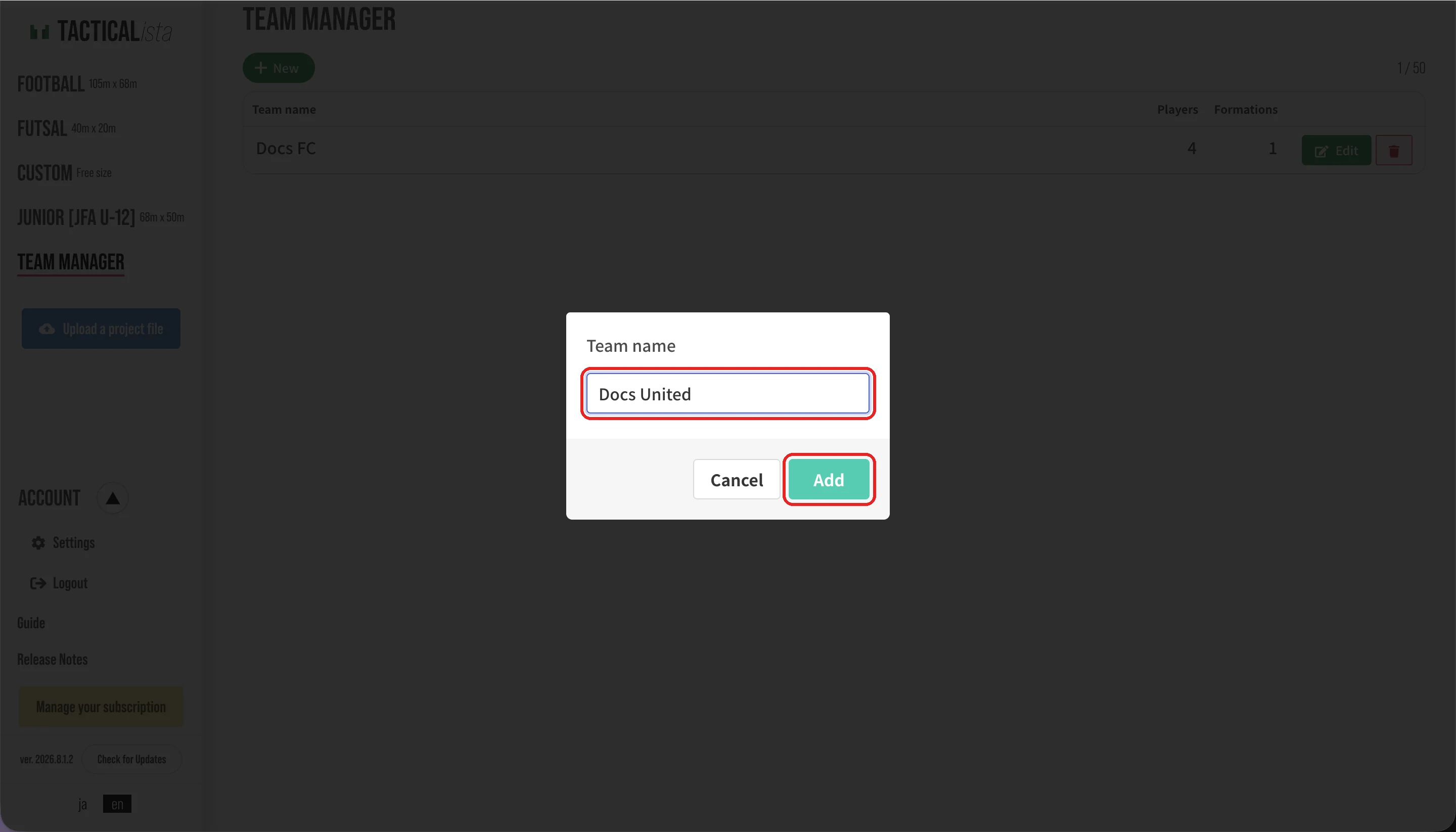
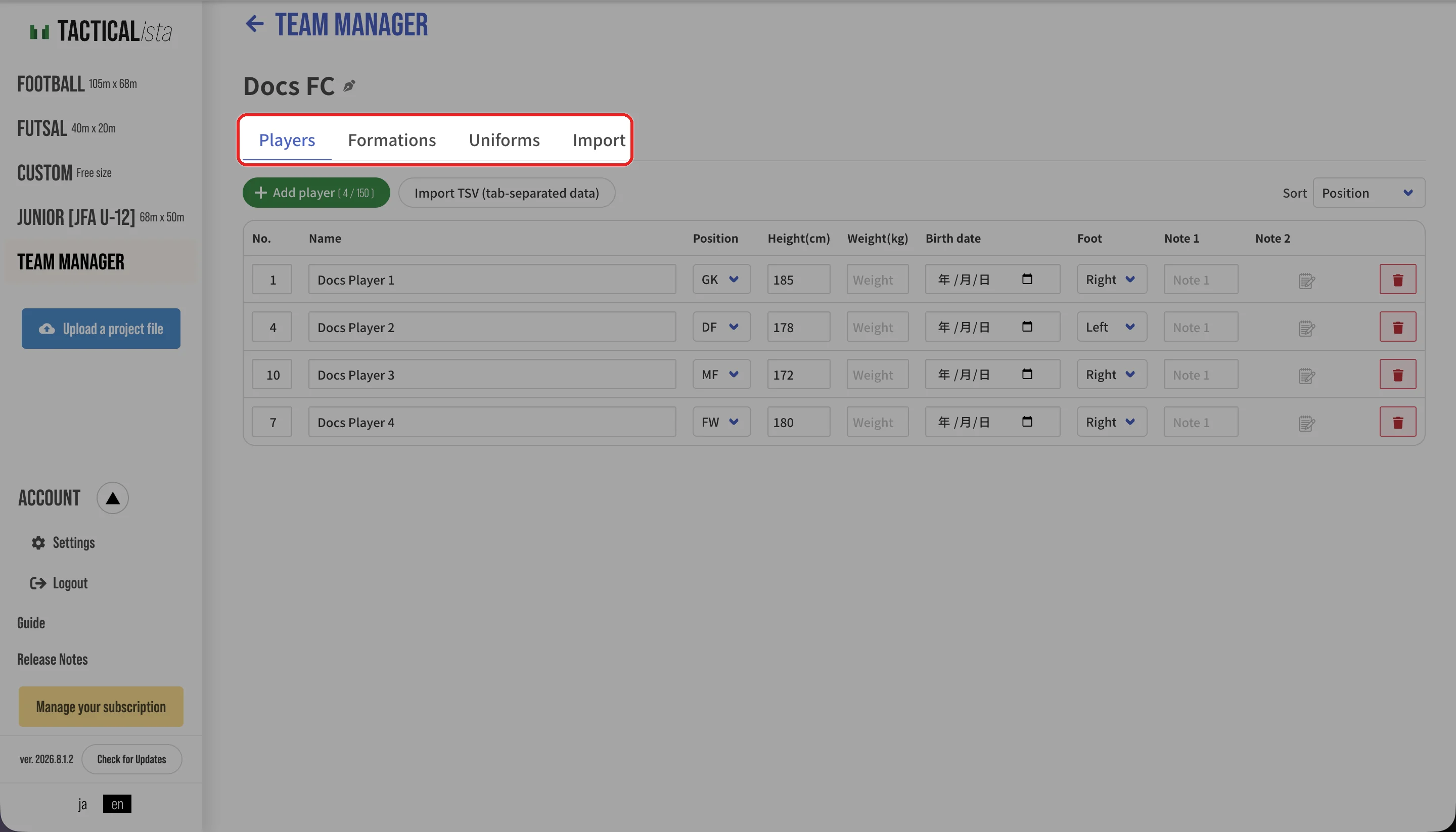
Each row in the team list offers "Rename" and "Delete".
WARNING
Deleting a team also deletes all of its players, formations, and uniforms. This cannot be undone.
Registering players
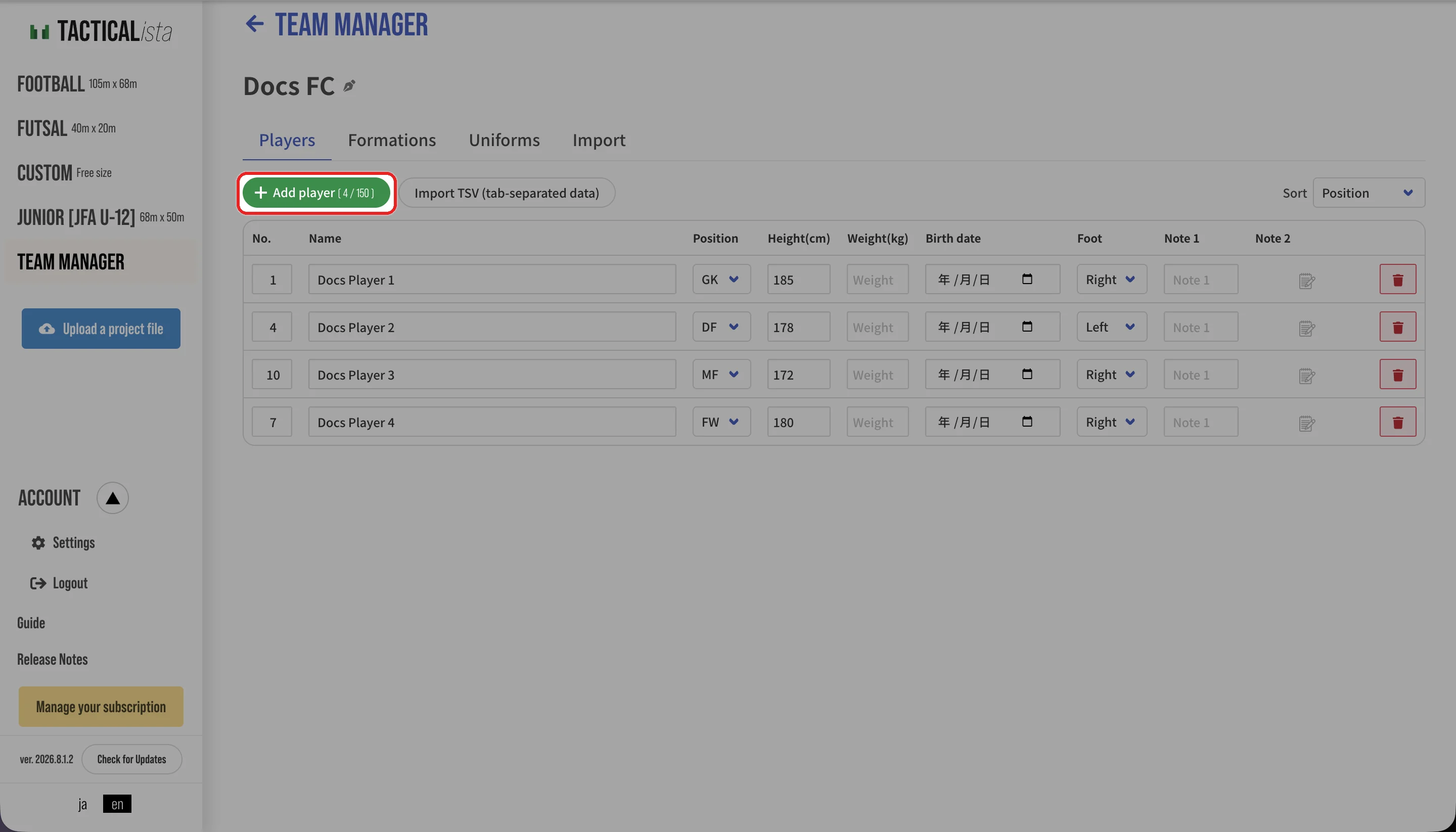
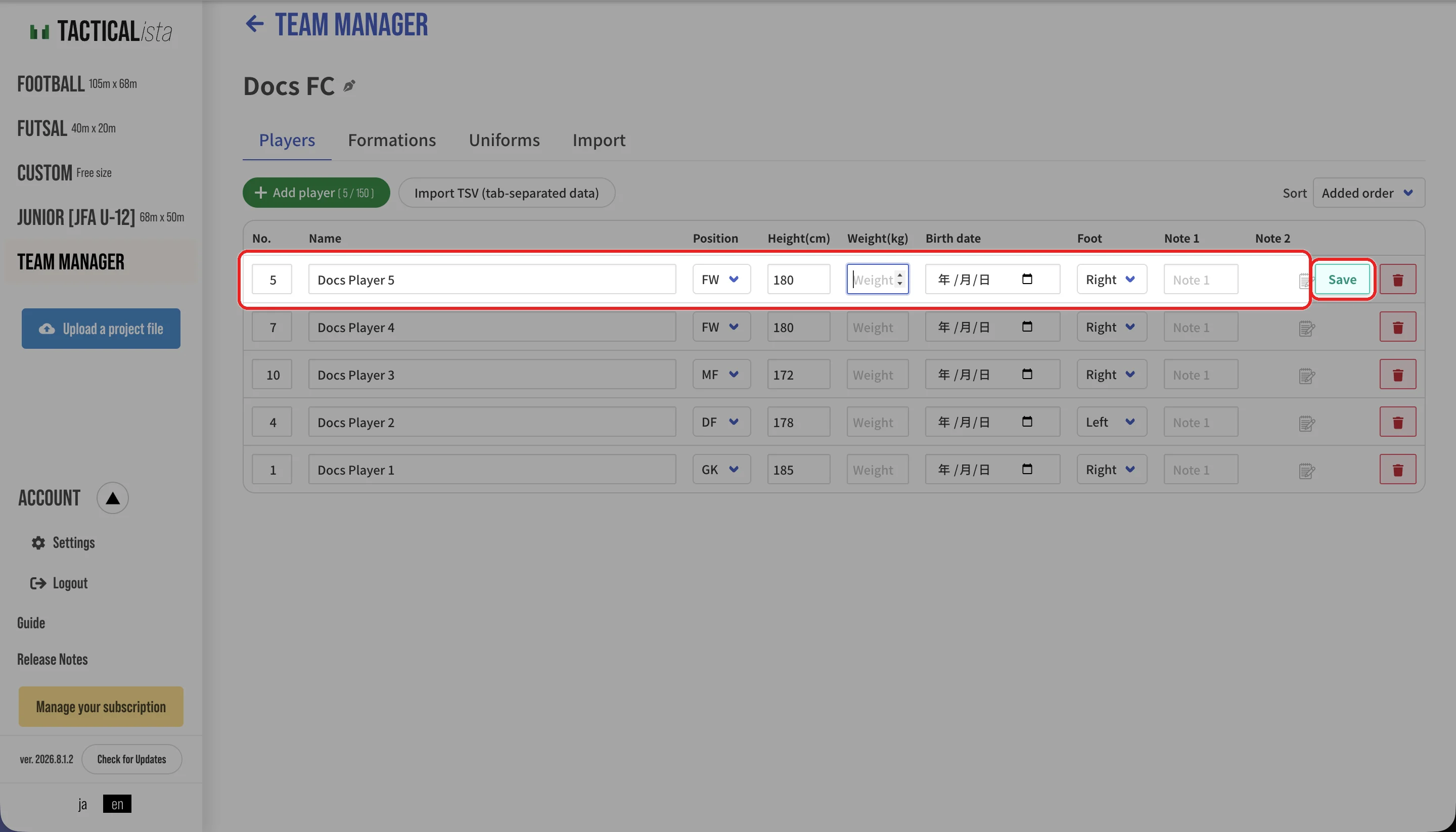
| Field | Description |
|---|---|
| Name | Required |
| Number | Optional |
| Position | Required. GK / DF / MF / FW, and so on |
| Height (cm), Weight (kg) | Optional |
| Date of birth | Optional |
| Foot | Left / Right / Both |
| Note 1 | Up to 5 characters. Suited to a short label shown when placing players |
| Note 2 | Up to 200 characters |
Use "Sort" to order players by position, order added, number, age, or height. Each row can be edited or deleted.
Importing from TSV
Import player data created in Excel or Google Sheets in bulk.
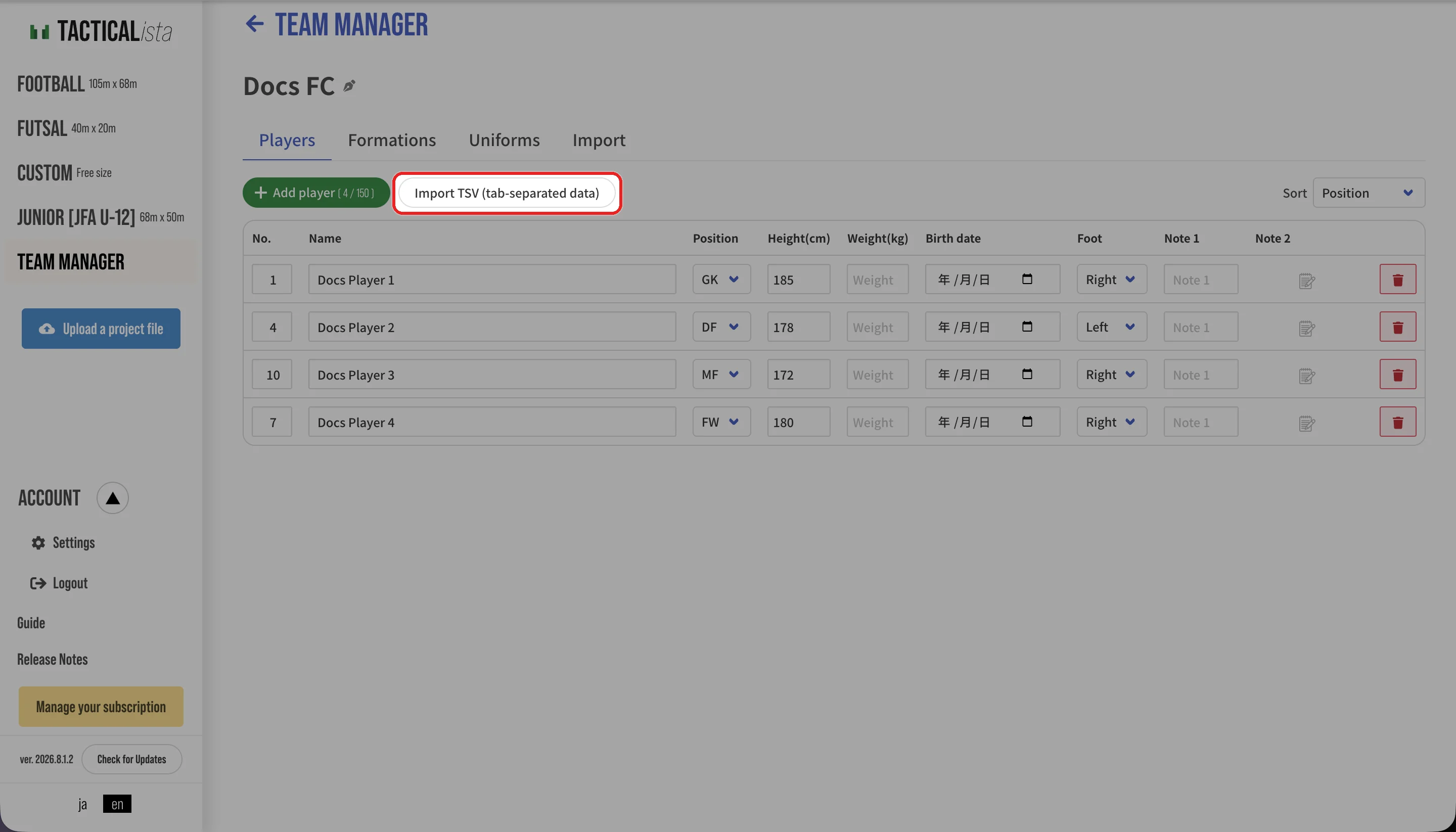
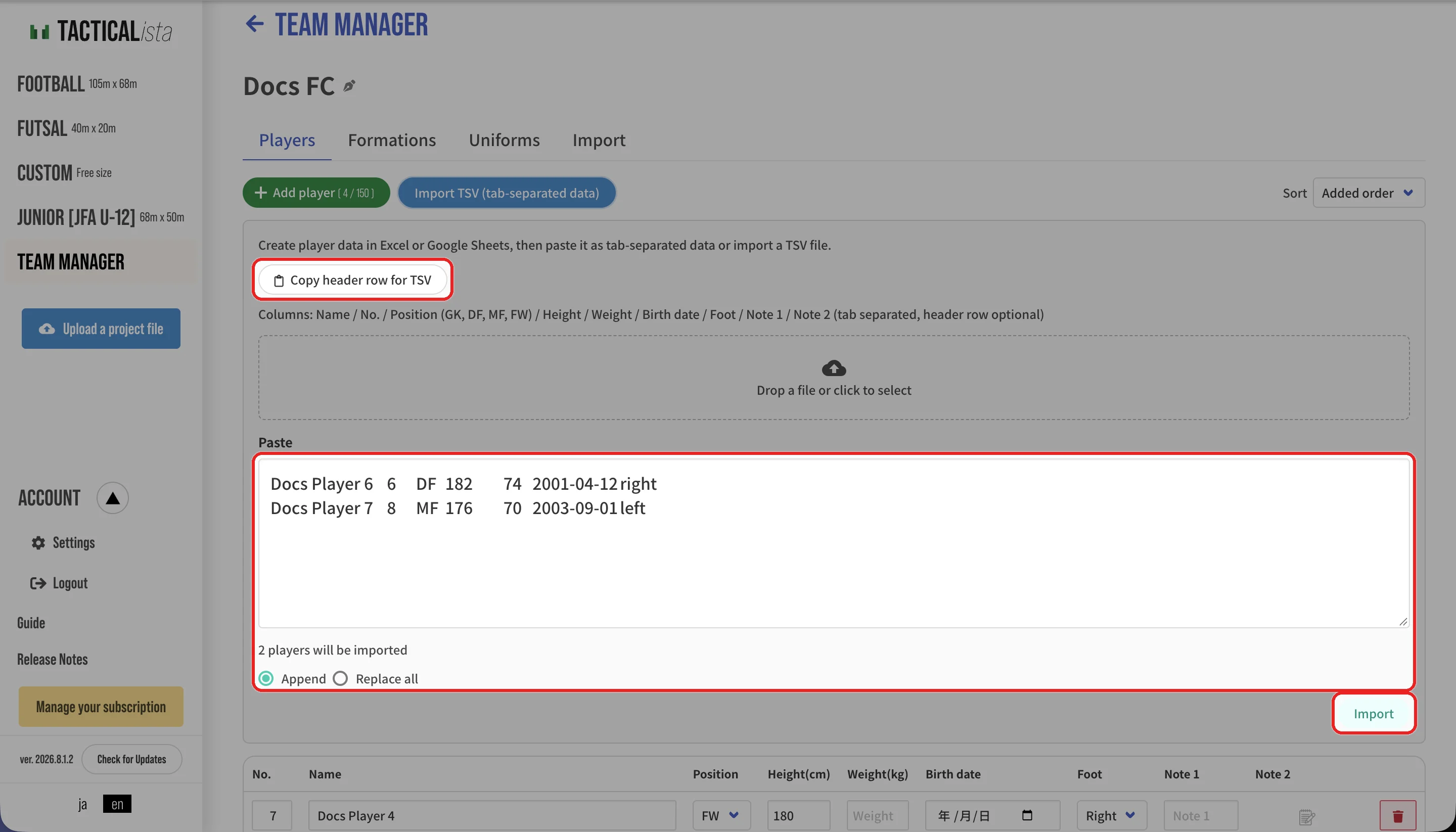
- Press "Copy header row for TSV" and paste it into your spreadsheet, then fill in the player data.
- Copy the rows and paste them into the "Paste" field, or drop a TSV file.
- Check the number of players and any error rows. Rows with errors are skipped.
- Choose "Append" or "Replace all" and press "Import".
The column order is: name / number / position (GK, DF, MF, FW) / height / weight / date of birth (YYYY-MM-DD) / foot (left, right, both) / note 1 / note 2. The header row is optional. Rows beyond the player limit are not imported.
Importing from external data
On the "Import" tab, you can import a team's squad (player list) from an external data provider.
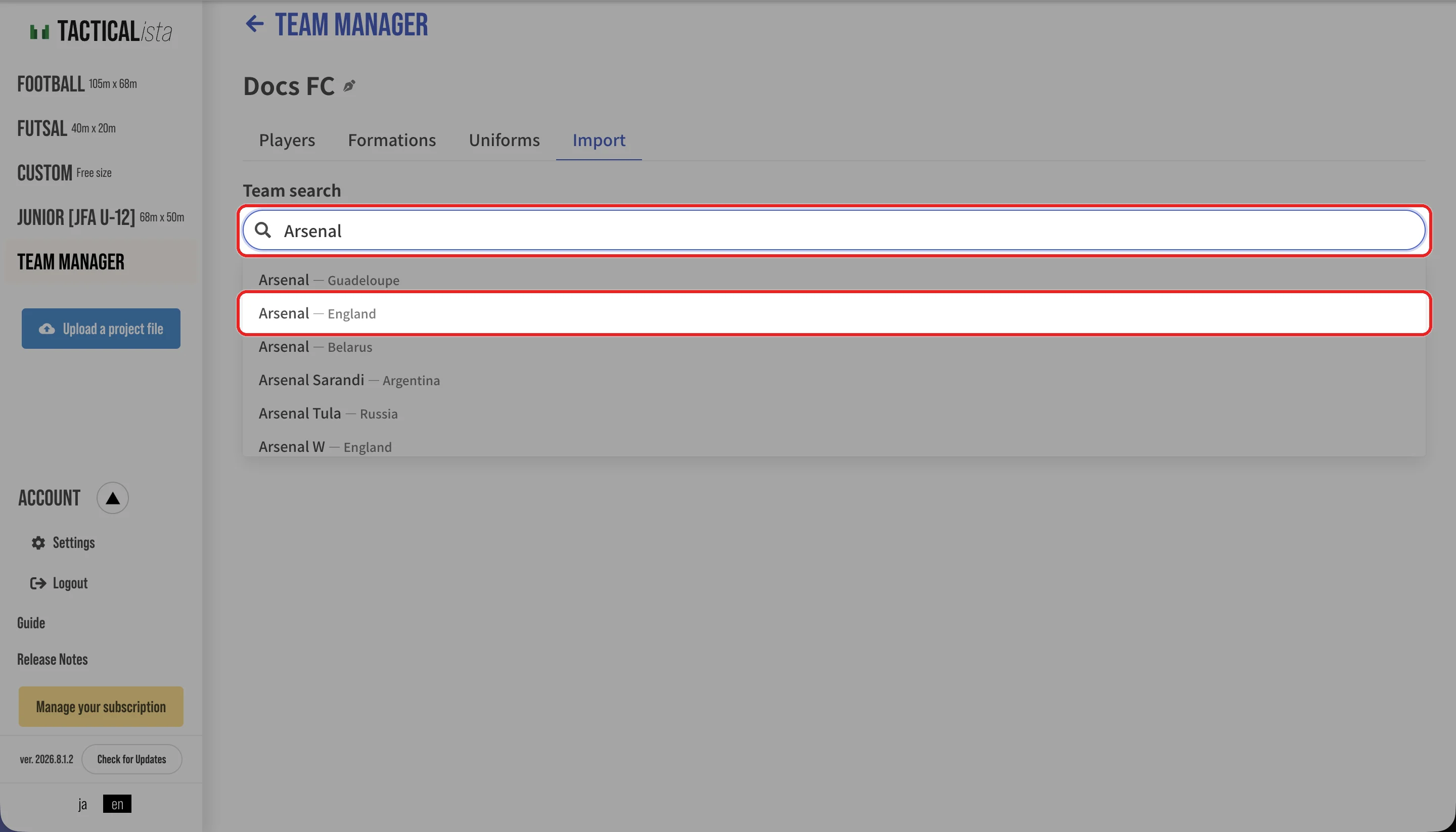
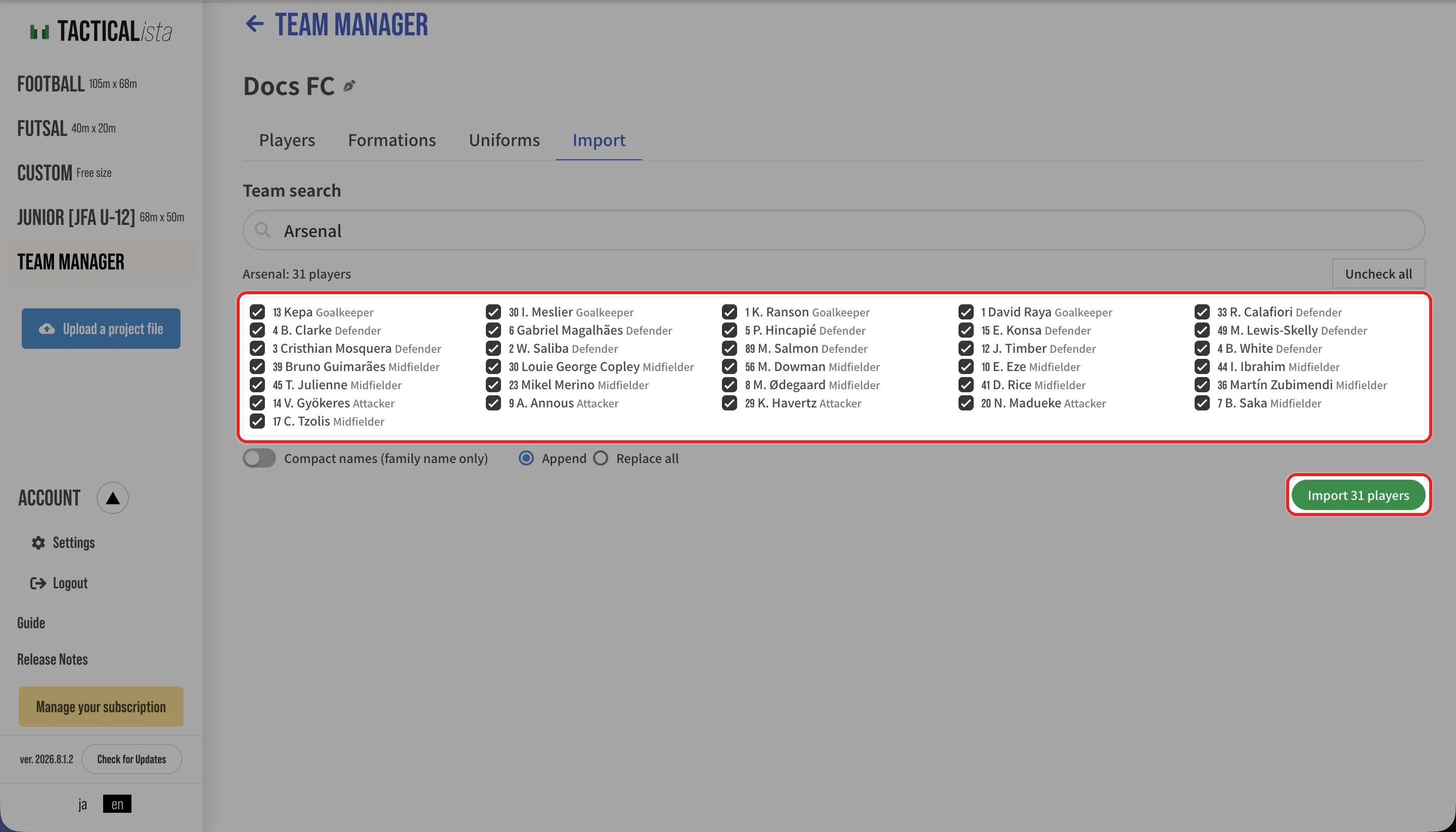
- "Select all" and "Uncheck all" toggle the selection at once.
- Turn on "Compact names (family name only)" to register only last names as player names.
- Squad data may not be available for some teams.
Setting uniforms
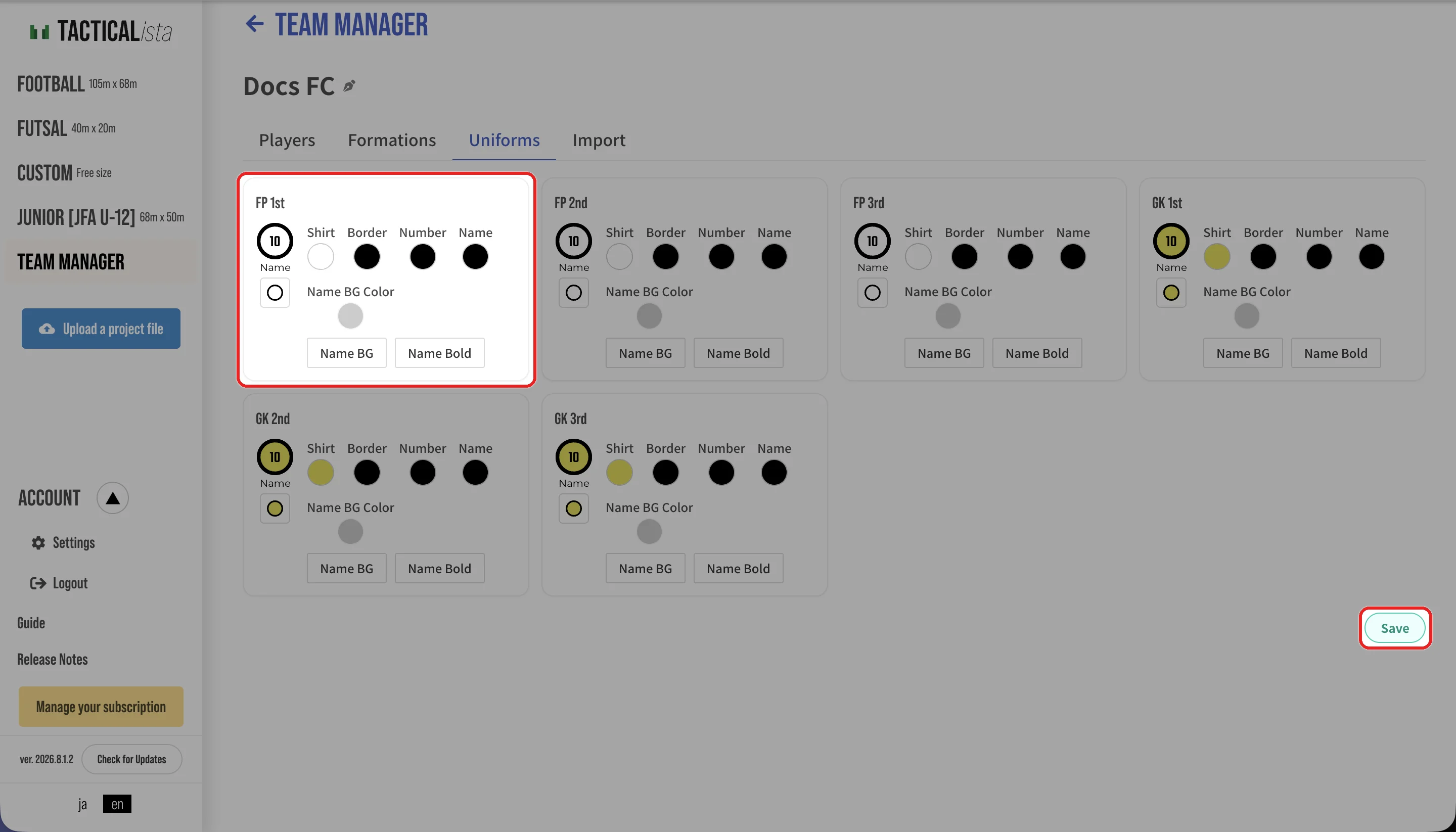
On the "Uniforms" tab, set six uniforms: FP 1st / FP 2nd / FP 3rd / GK 1st / GK 2nd / GK 3rd. For each one, set the body color, border, number color, name color, name background (color), bold name, and pattern, then press "Save".
Creating formations
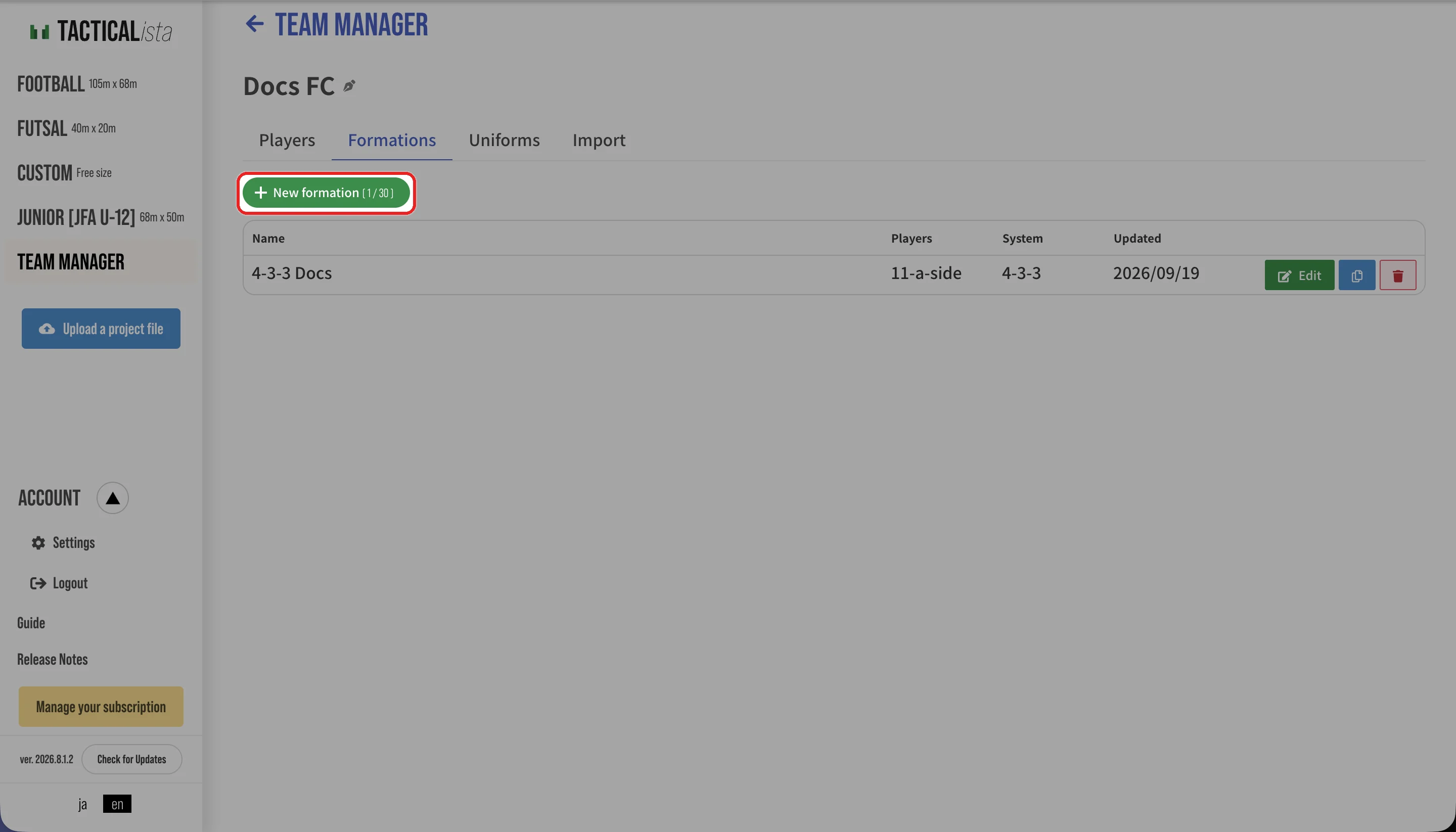
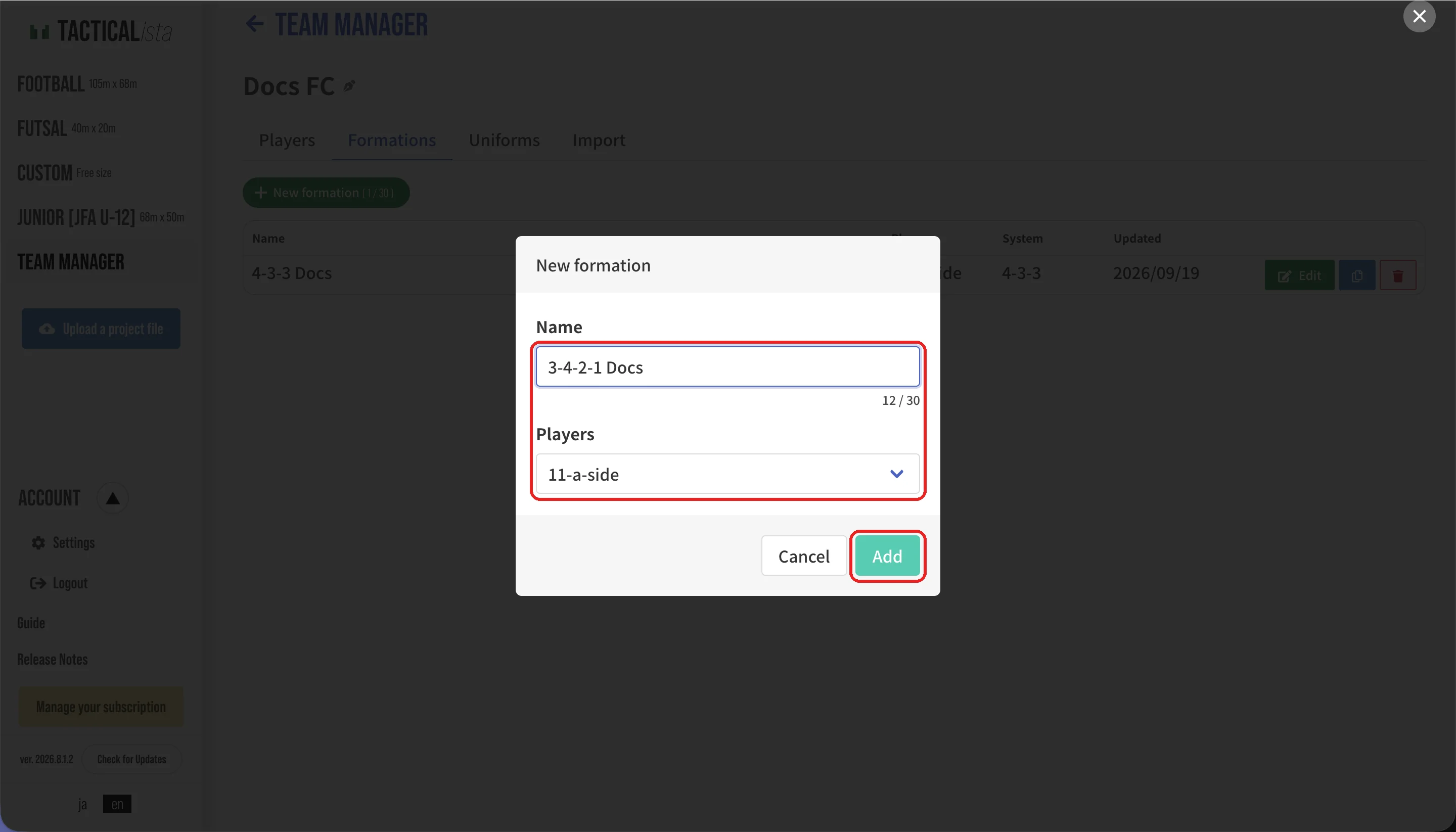
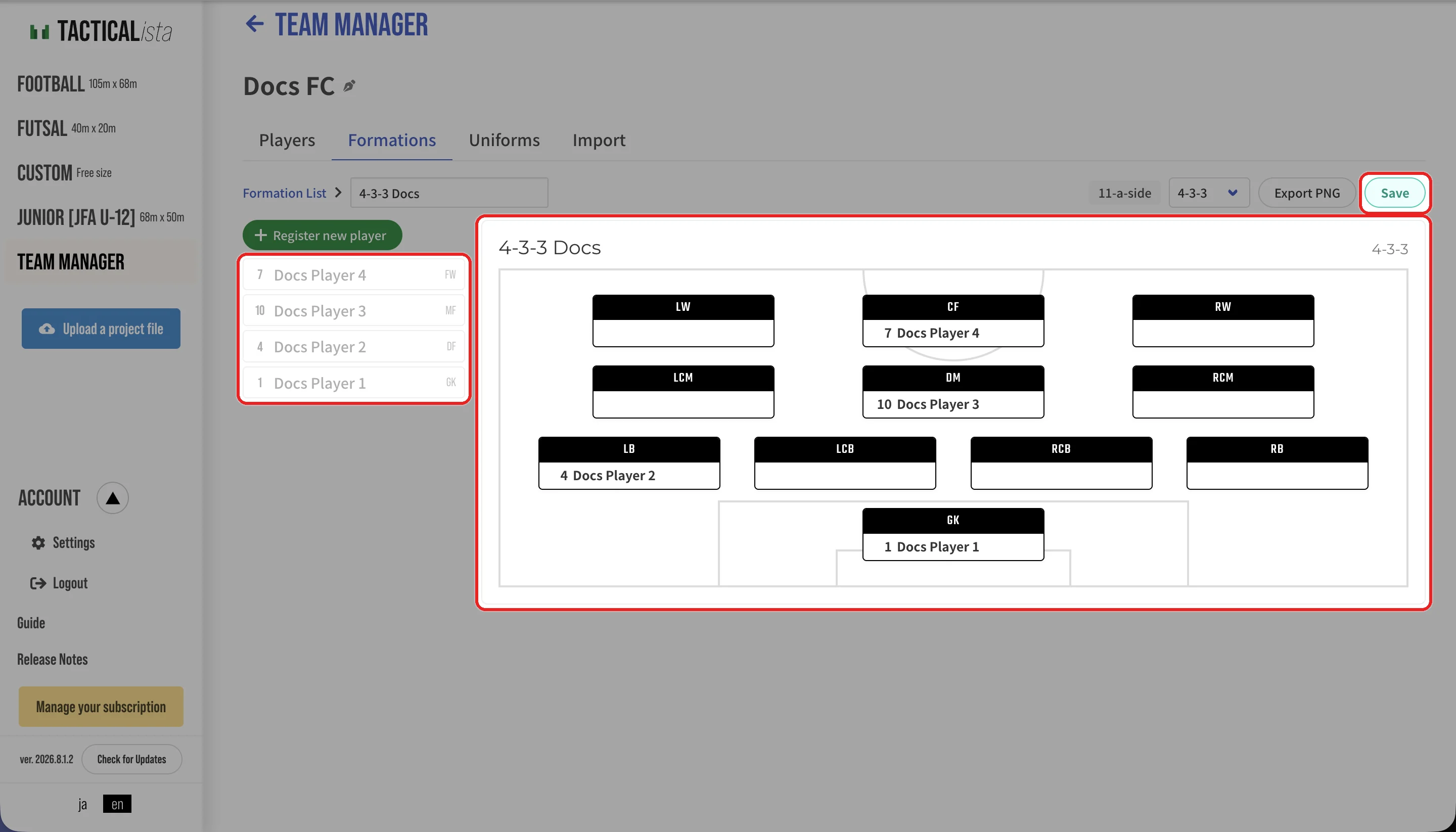
- Switch the system (such as 4-4-2) at the top right of the editor. The systems offered depend on the number of players.
- The same player can be added as a candidate for several positions. On mobile, choose players from the "+" on each position.
- On desktop, "Export PNG" saves the formation diagram as a PNG image.
The category (Football (11-a-side) / Futsal / Junior (8-a-side)) is set per formation. One team can have both 11-a-side and futsal formations, and the player list is shared between them.
Placing players on a board
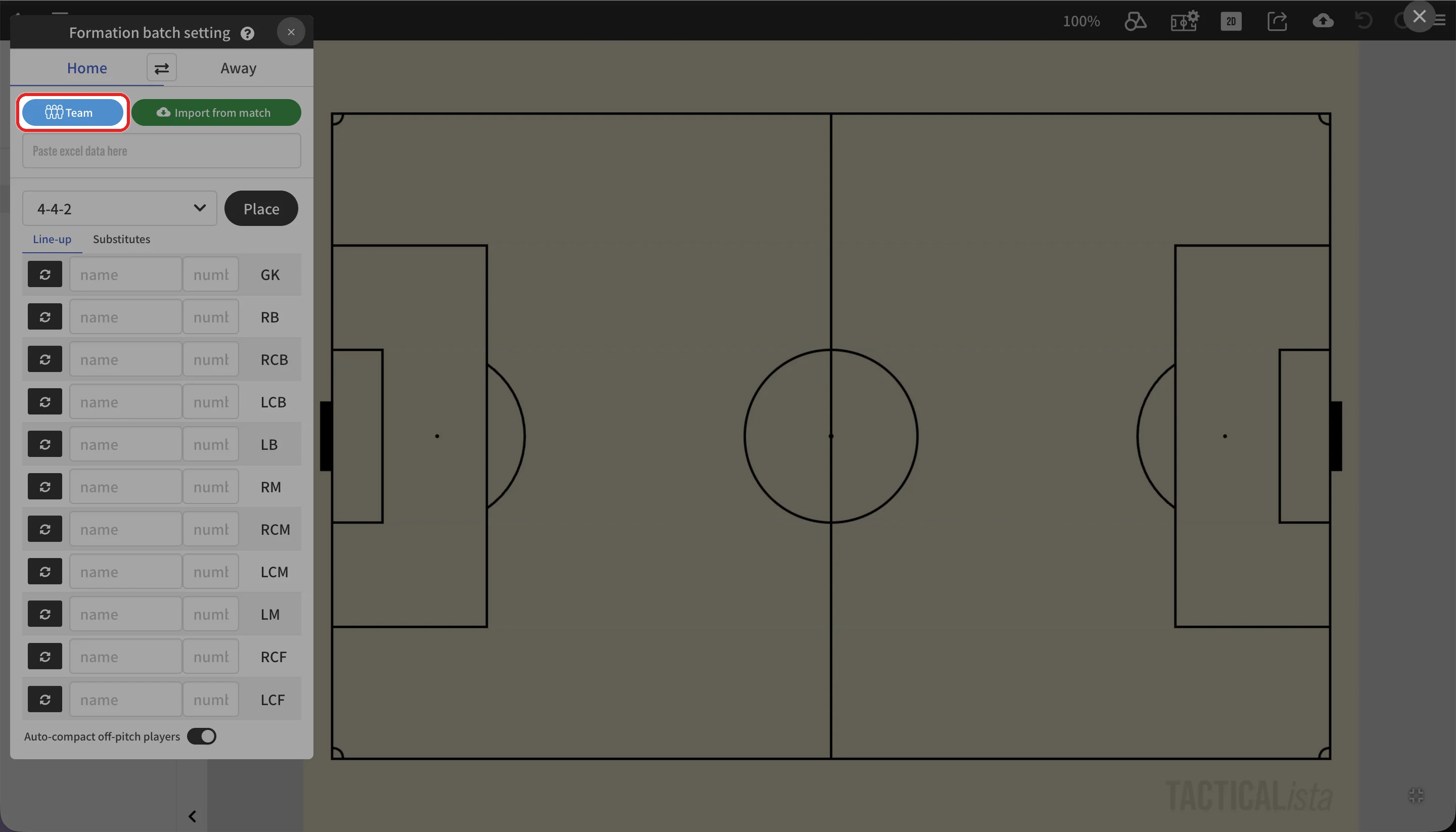
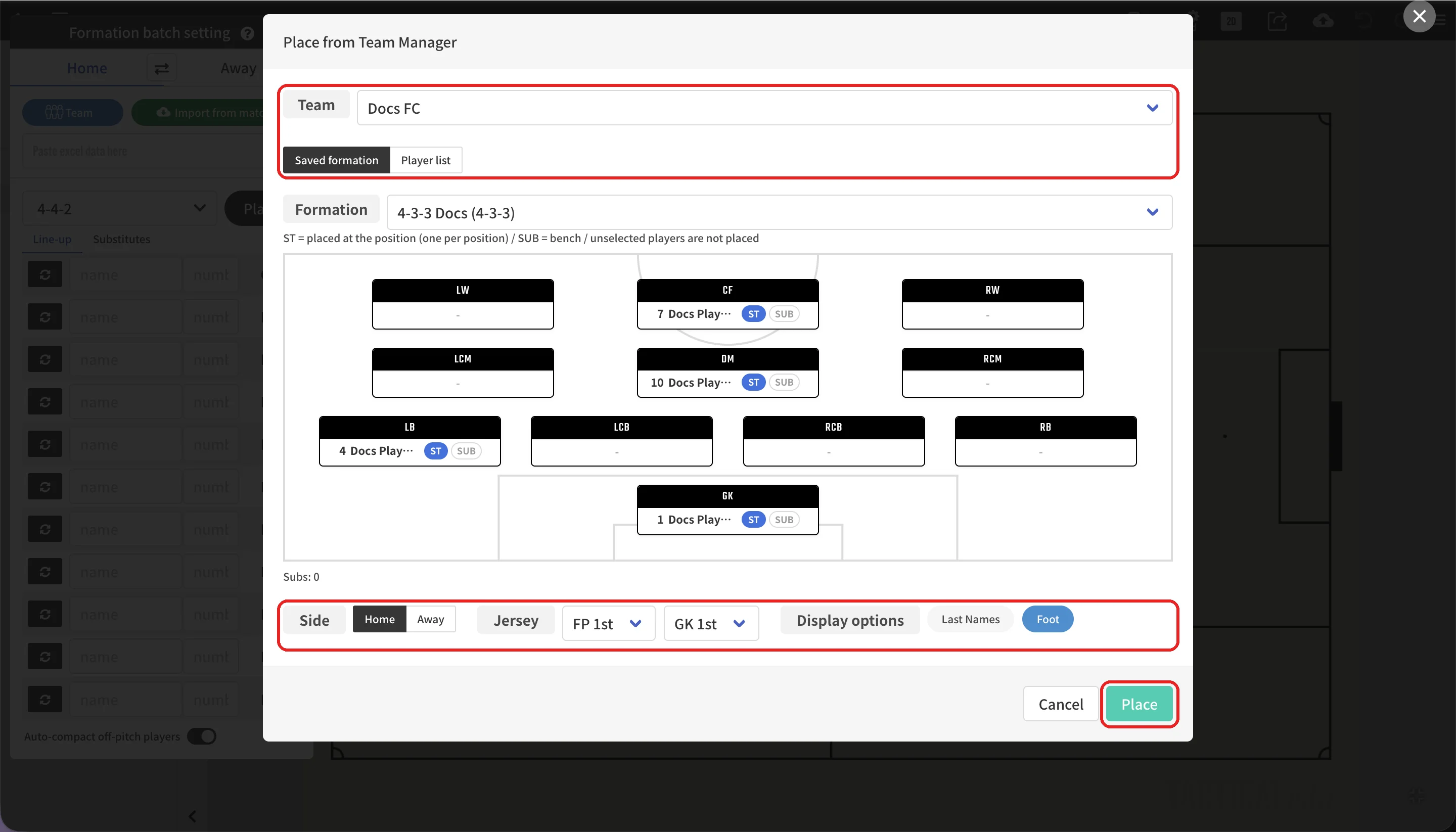
On mobile, open formation placement from the toolbar at the bottom of the screen and press "Team".
The "Place from Team Manager" screen has the following settings.
| Setting | Description |
|---|---|
| Team | The team to place. |
| Placement method | Player list: Players are placed in the order you select them. The first player becomes the goalkeeper, and players marked SUB are lined up off the pitch (on the bench). Saved formation: Formations whose size matches the board are offered. Assign one player to each position; SUB players go to the bench. Players you do not select are not placed. |
| Display options | Show last names only, show the preferred foot, and so on. |
| Side | Home / Away |
| Uniforms | The uniforms to apply (FP and GK). By default, the 1st uniform is used for home and the 2nd for away. |
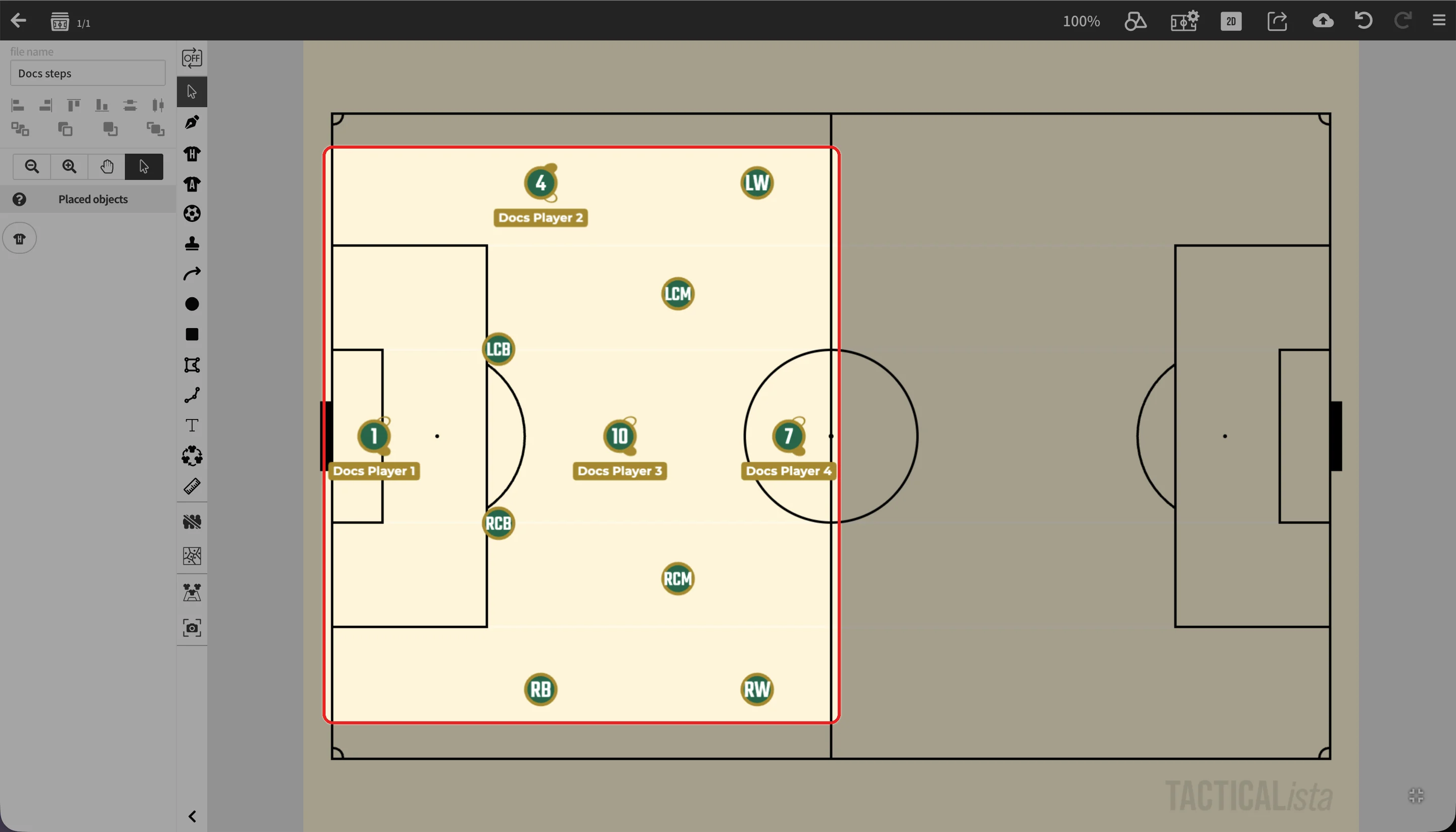
After placement, the players' names, numbers, feet, and heights are applied to the player objects and synced to the player list in the Batch Formation Placement panel.
INFO
- The goalkeeper's uniform color is applied by matching the jersey number. If a field player on the same side has the same number as the goalkeeper, that player also gets the GK color.
- On custom boards, formations whose size matches the board are offered. Placement is not available on blank custom boards.