
Importing Match Data
Import the lineup of a real match (starting eleven and substitutes) and place players with their names and numbers on the field in one step. Recreate an opponent's recent match to study the matchup.
Requirements
- Placing the imported players is available on the Basic plan.
- Available in the desktop version.
- Available on 11-a-side, futsal, and junior boards. Not available on custom boards.
- Match data comes from an external data provider. Lineups may not be published for some matches.
Steps
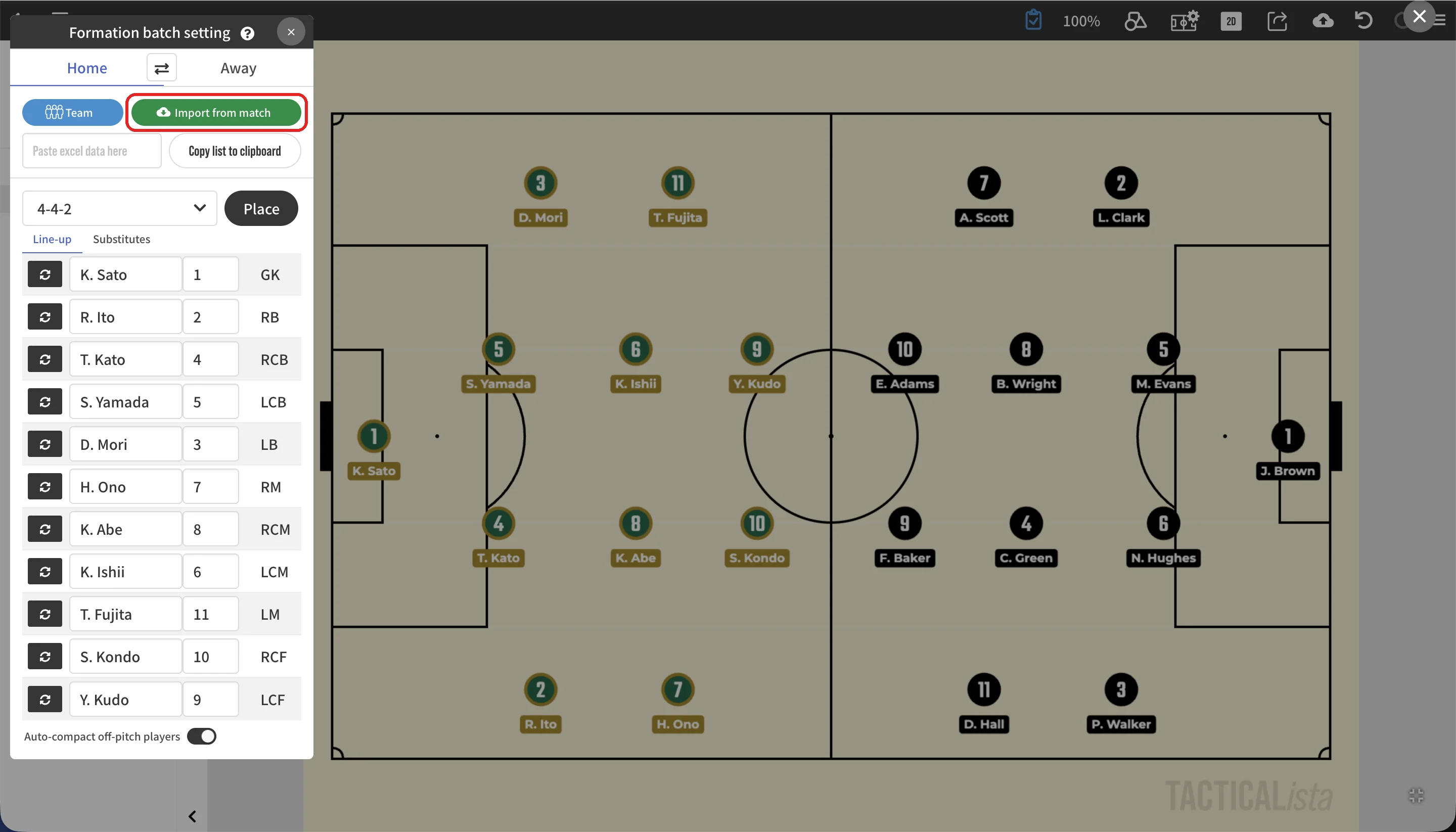
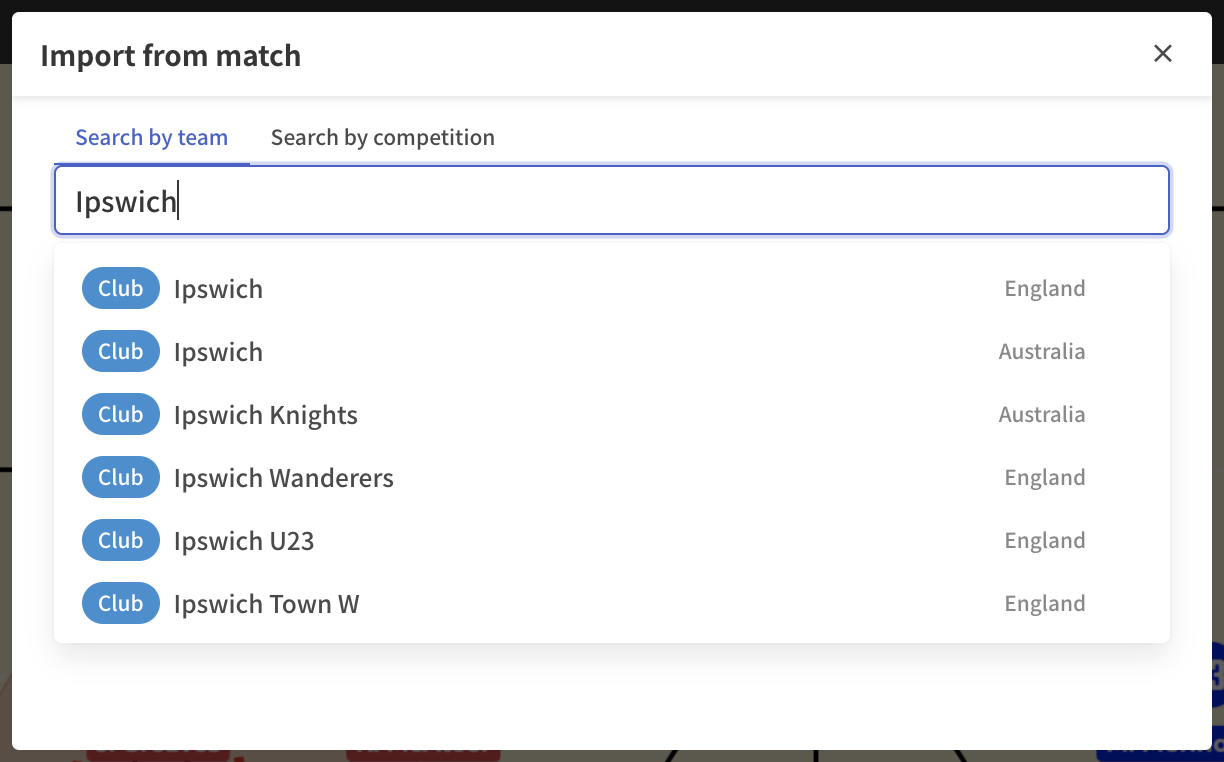
1. Find a match
| Method | Description |
|---|---|
| Search by team | Enter at least two letters of the team name. Clubs and national teams appear as candidates. |
| Search by competition | Choose a country (World for international competitions), then a league or competition. |
Teams and competitions can be bookmarked with "Add to bookmarks" (up to 5). Next time, open them directly from your bookmarks.
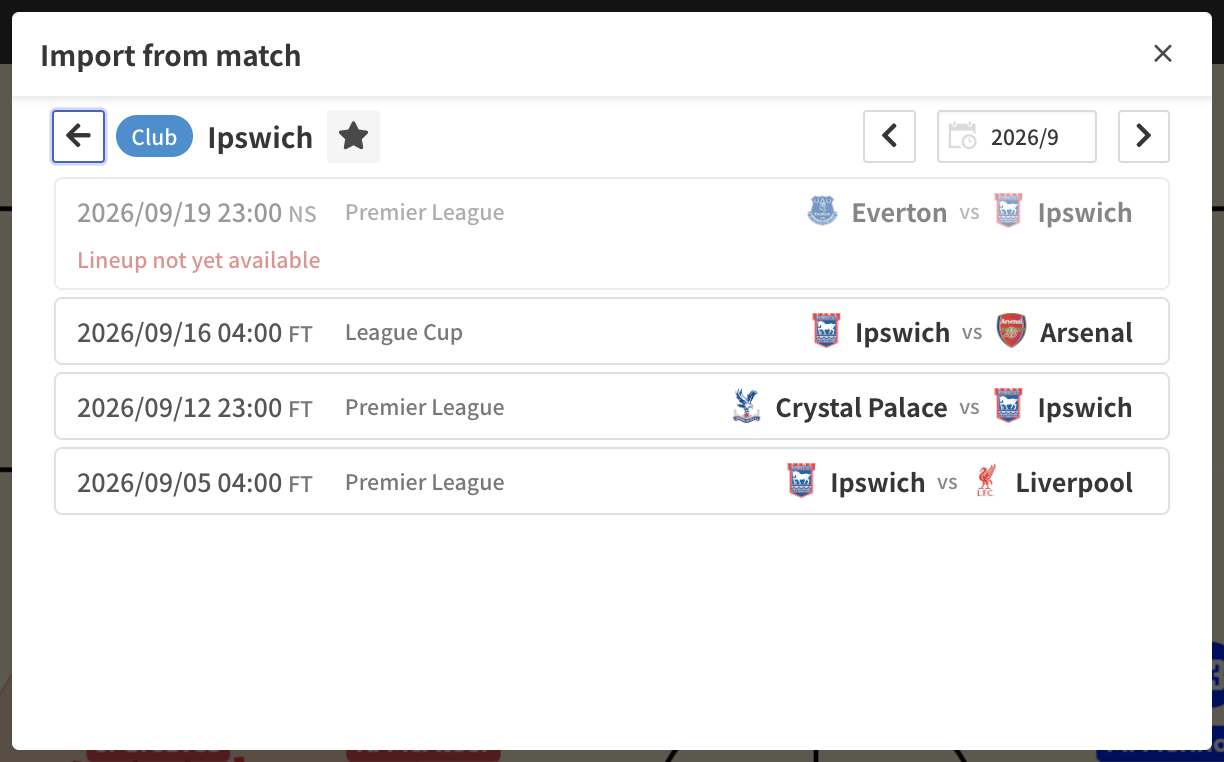
2. Choose a match
Choose a month to list the matches played in that month. Matches whose lineups are not yet published show "Lineup not yet available".
3. Check the lineup and place the players
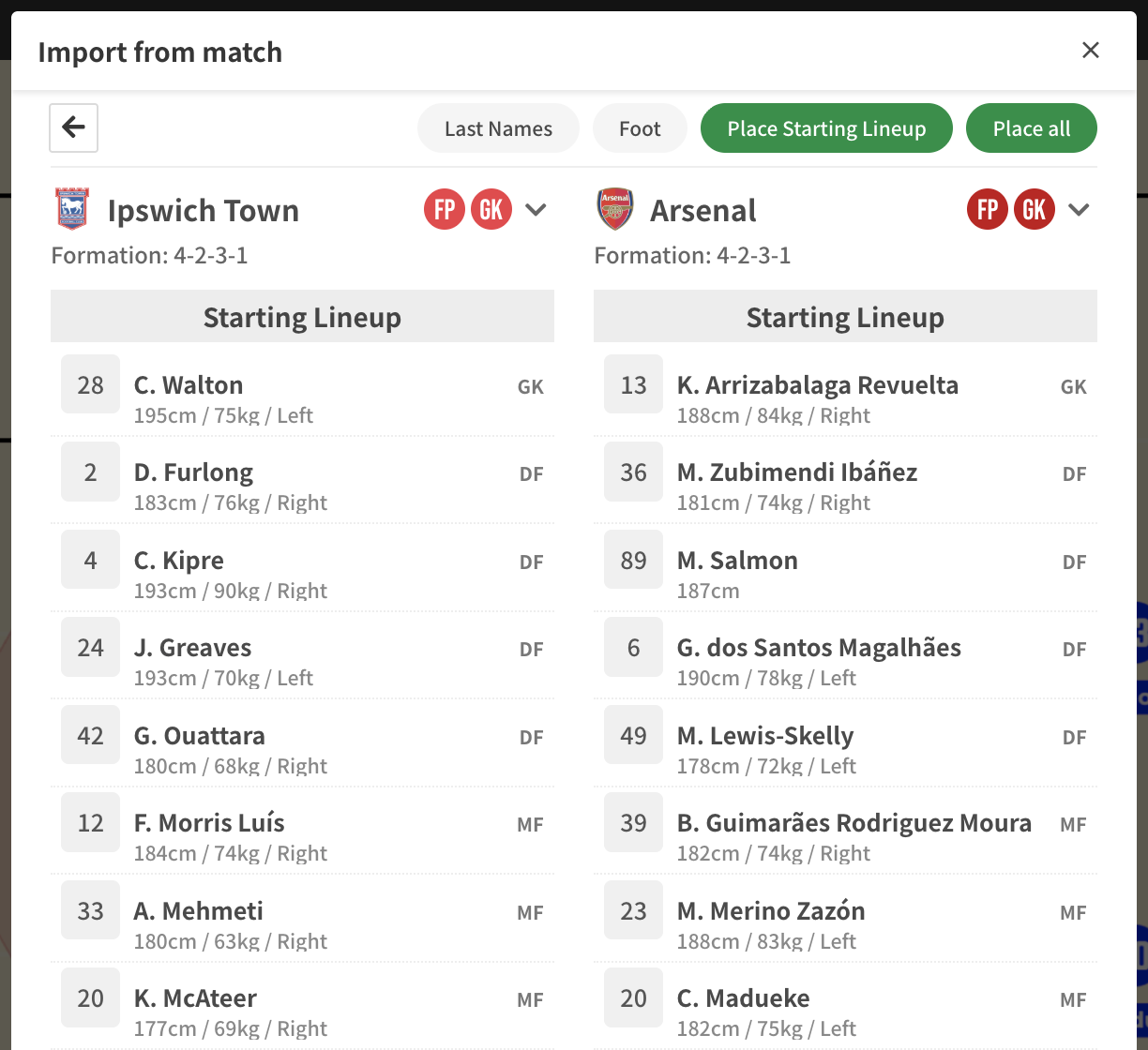
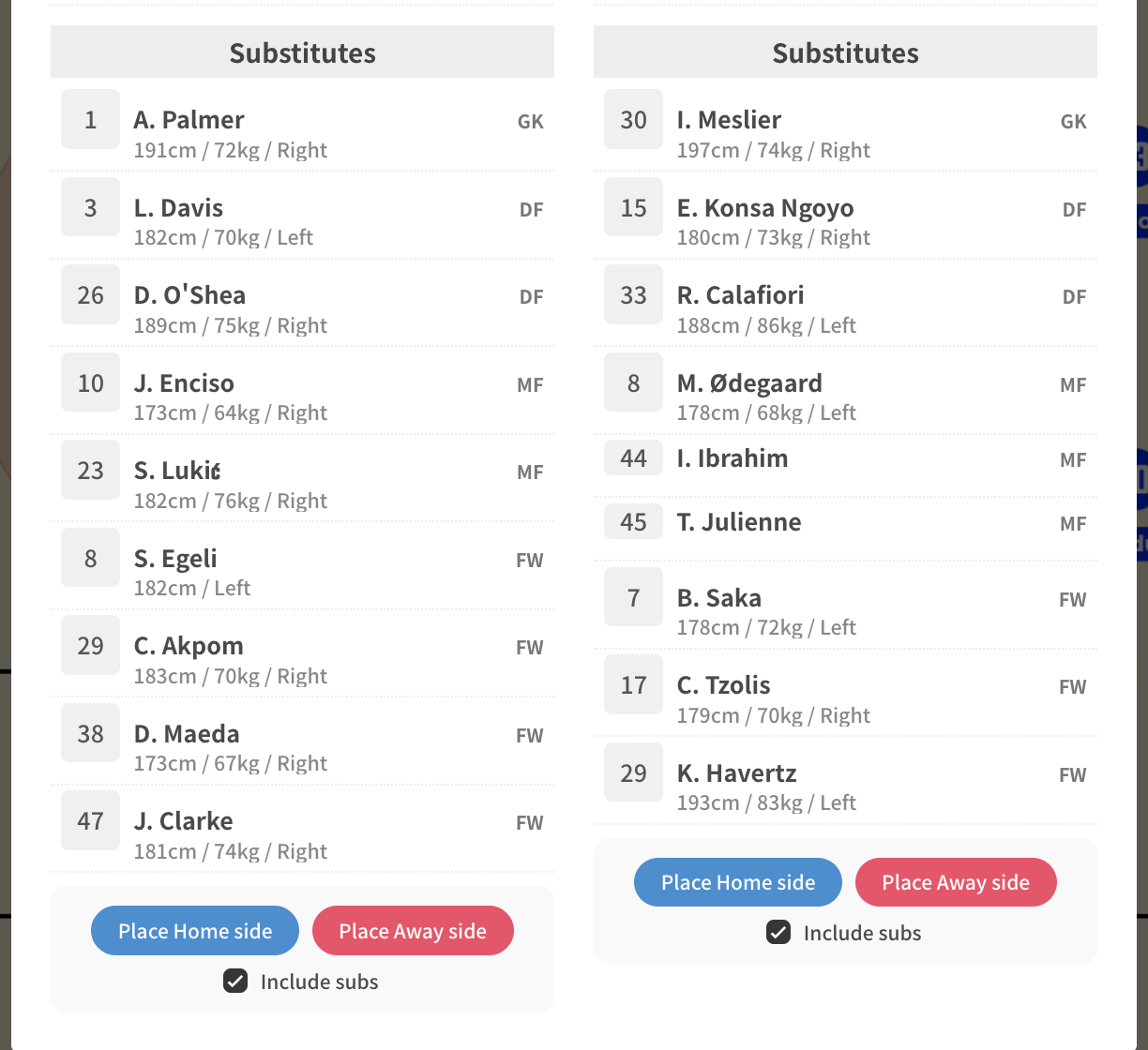
The formation, starting eleven, and substitutes of both teams are shown. Players are listed with number, display name, and position (GK / DF / MF / FW), and heights are imported when the data includes them.
- Last Names: Uses last names only as player names.
- Foot: Toggles the dominant foot display.
- Fill color / Stroke color / Number color: Sets the player colors for each team. The goalkeeper color is applied by matching the jersey number.
- Include subs: When on, substitutes are placed off the pitch as well.
There are two kinds of placement buttons.
| Button | What it does |
|---|---|
| Place Starting XI / Place all | Places both teams at once. |
| Place on Home side / Place on Away side | Places only the chosen team on the Home or Away side of the board. For example, put the opponent on the Away side and compare them with your own team. |
The panel stays open after placement, so you can place the other team or adjust colors right away. The imported names and numbers are also applied to the player list in the formation batch setting.
Notes
- The heights of placed players are applied to the players in the 3D view. → 3D Player
- If a field player on the same side has the same number as the goalkeeper, that player also gets the GK color.
Related pages
- Batch Formation Placement
- Team Manager: register and place your own team's players
- Importing Players from a Photo